For some (frustrating) reason the packet filter way to balance WAN connections did not work for me. Both Speedify and NetCombiner want me to pay monthly for the option to just do WAN balancing locally. I’m not making an apple account; adding a payment method; signing up for a subscription and then cancelling it for a week or two. If either of these apps offered a buy-once method for just the WAN balancing (and no VPN crap) I would have bought it straight away as it would have been far easier.
Context / Why
I’m currently for personal reasons working out of a hospital that has WiFi powered by Hills. The hospital has so-so mobile coverage with some areas only having very slow coverage. I tried the Free tier of WiFi and was surprised it was nice at a very stable 5/5mbit speed per device, and I could sign my 3 devices in without issue. This gave me hope that the “premium” paid wifi would be good and easy to work from. I paid for the 5 days of premium wifi only to find out its 10/10 only; and only one device at a time (so you need to sign up for, and pay for, two accounts for your phone to work at the same time as your laptop). This meant that the “premium” WiFi was still too slow for things like pulling docker images, youtube or accidentally letting anything update and trying to do anything else. Hills, if for some reason you are reading this, please indicate how slow your premium offering is and the 1 device limit clearly when purchasing. Please also consider a 25mbit speed limit if possible (:.
So instead; I used the android USB tethering to pass the wifi through to my laptop, and wanted to setup dualWAN to use both the WiFi and my phones WiFi together to give me around about 15/15 mbit internet. Which is juuust about fast enough that most things load ok.
Normally I run Asahi Linux; and under linux it was very easy to set this up using normal nftables.
On MacOS; no matter how i tried the pfctl tool it wouldn’t properly round-robin connections; with either connections breaking or everything ending up on one link.
I was “having” to use MacOS at the time because I wanted to use the one app I have doesnt ship on Aarch64 linux well yet (steam); and the overhead of FEX eats enough ram to OOM this system.
Final method
So in frustration with the state of MacOS apps being completely subscription based (Noting that I have bought pay-once apps in the past, im not completely stingy). This is the workaround I’ve been using. If I had time to go back home (and in future) I will just bring a Mikrotik AP and set it up to join wifi multiple times and do its multi-WAN setup. But that is not for today.
Dispatch proxy
Download and run dispatch which is a proxy that will round-robin connections for you. This takes in which gateways to use as the target and their weighting. Since I originally had a 10mbps and a 5mbps connection, you can run it with /2 and /1 respectively to weight the connections.
./dispatch list

╔══════╦════════════════╗
║ en10 ║ 10.184.247.198 ║
╠══════╬════════════════╣
║  en0 ║ 172.16.33.233  ║
╚══════╩════════════════╝
The list command shows you per connection the IP’s to use
And so, in my case en0 was faster than en10.
So I ran it as
./dispatch start 172.16.33.233/2  10.184.247.198/1
SOCKS proxy started on 127.0.0.1:1080
Dispatching to addresses 172.16.33.233/2,10.184.247.198/1
Later on when the “premium” plan ran out, I did not renew it and kept using this to get 10mbps. I’m noy paying again for premium that is slower than the base NBN speed.
Once this is running this then gives you a SOCKS proxy you can point things to, and anything using that proxy will get load balanced (anything else will)
Using the proxy
For another “genius” move my MacOS; you CANT set a system wide proxy and instead set it per connection. Which sounds really logical since a proxy would be per connection, except most apps do not then let you tell them a proxy to use and instead defer it to the system and it doesn’t work. I set the proxy in both connections, and nothing used the proxy. I cycled both connections, and still nothing used the proxy.
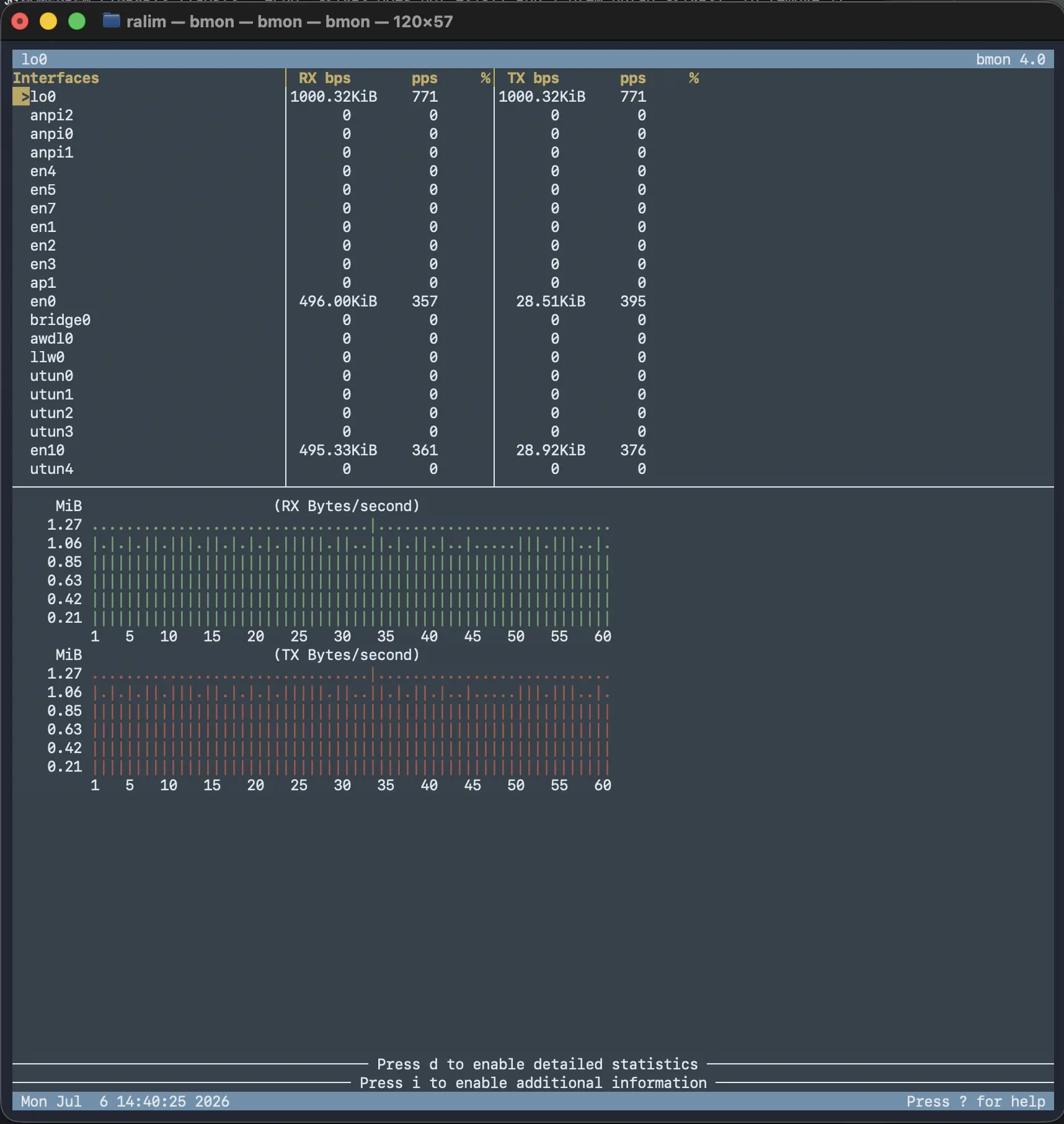
I then set the proxy manually in FireFox (Thankfully still reliable in giving actual options to users instead of just defering to system) and instantly it used the proxy and worked, firefox’s traffic was load balanced and I could see the traffic on the loopback interface in bmon.
So this confirmed the proxy itself was working fine, but for whatever reason other apps still would not use the socks proxy.
Thankfully, ProxyBridge exists; and does exactly what you want. It lets you write rules to choose which apps WILL go through the proxy and which do not.
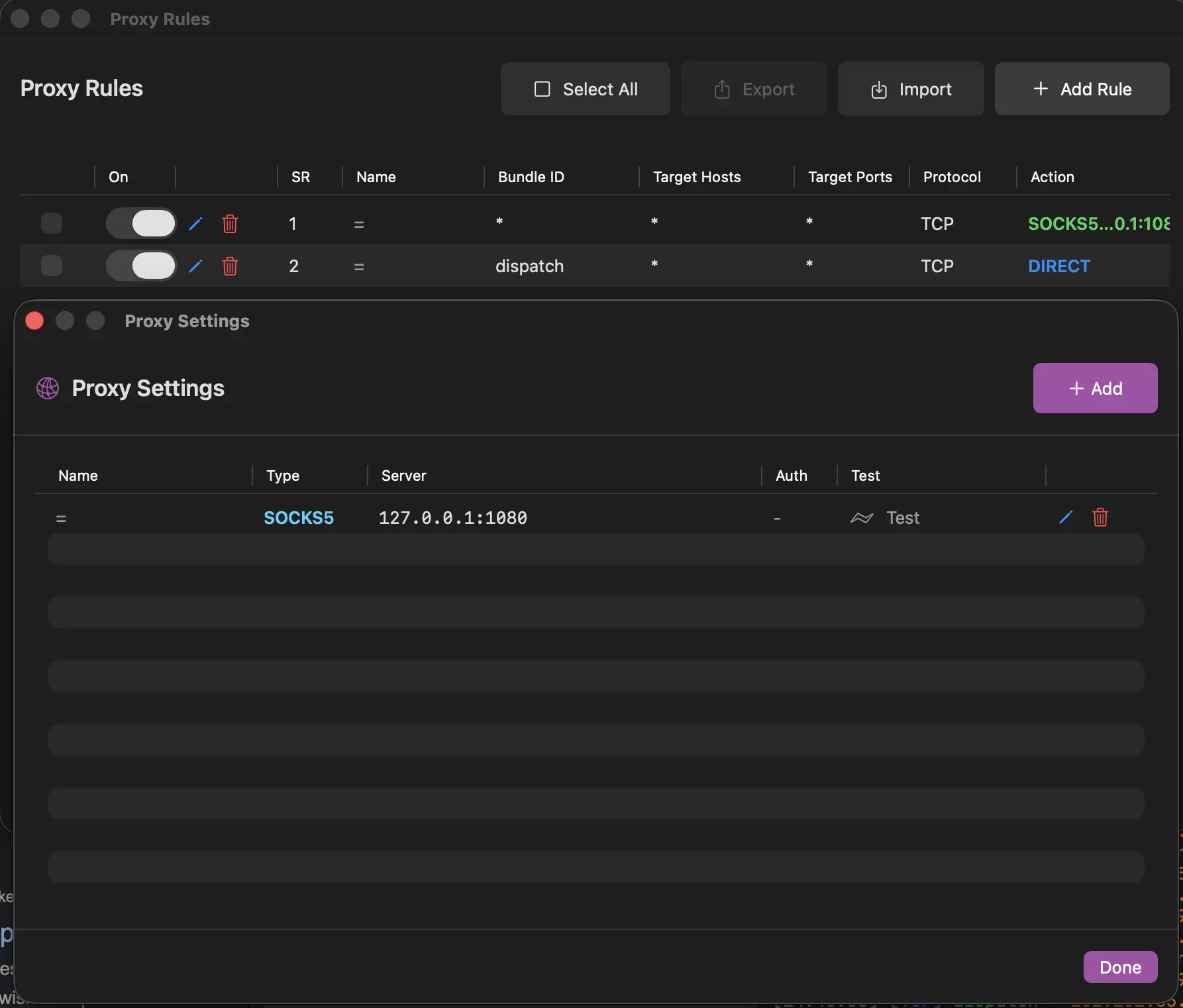
I set up proxy bridge as shown below, using one rule to exempt dispatch and then a catch-all to force everything else through the proxy and bam, it works exactly how setting a systemwide proxy works on all other operating systems.
Final result
Once this was setup, bmon shows what you would expect with traffic splitting over both connections seamlessly. Do note that I found that VPN’s and Tailscale did not like running over this; but I did not debug this since I was only using it to let steam download updates.